

Off-the-Shelf Software vs Custom ERP & CRM: Which Is Better for Your Business?
8/10/2026
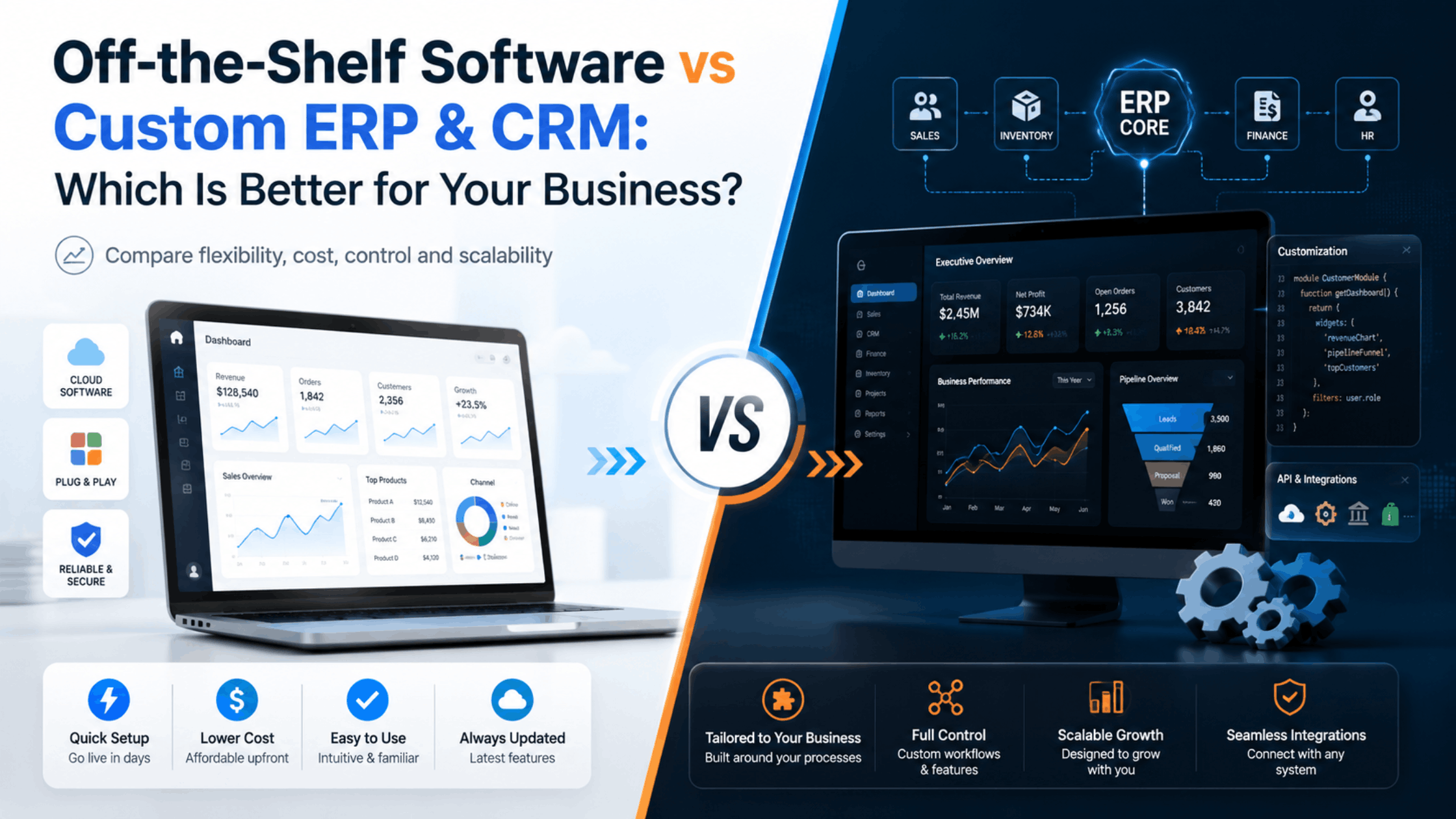
| Quick Answer Off-the-shelf software is usually faster and cheaper to start with, while a custom ERP or CRM is better when your workflows, approvals, reports, integrations or growth plans cannot be handled efficiently by standard tools. The right choice depends on process complexity, total cost over time and how much the software must adapt to your business. |
Choosing business software is no longer simply a question of buying an accounting package or subscribing to a CRM. As companies add teams, branches, sales channels, inventory, approvals and reporting needs, software starts influencing how efficiently the entire organisation works.
This is where the decision between off-the-shelf software and custom ERP and CRM software becomes important. A ready-made platform can solve common requirements quickly, but it may also force a business to change established processes. A custom system takes more planning, yet it can be designed around the way a company actually operates.
Neither option is automatically better. The objective is to select a system that reduces manual work, improves visibility and remains practical as the business grows.
What Is Off-the-Shelf Business Software?
Off-the-shelf software is a ready-made product created for a broad group of businesses. It normally includes predefined modules, subscription plans and standard workflows. Examples include generic CRM platforms, accounting tools, project-management applications and inventory products.
The main advantage is speed. A business can create an account, configure basic settings and begin using the system with limited development. Updates, hosting and maintenance are usually handled by the software provider.
The trade-off is that the business works within the product’s boundaries. When a process requires an unusual approval flow, a specific quotation format, a specialised dashboard or a connection with an internal system, the available options may be limited or require paid add-ons.
What Is a Custom ERP or CRM?
A custom ERP or CRM is built around defined business requirements. Instead of asking employees to fit a generic workflow, the software can reflect the organisation’s own sales stages, departments, permissions, forms, reports and operational rules.
A custom CRM may include lead capture, follow-up reminders, quotations, sales pipelines, customer history and conversion reports. A broader ERP can connect sales with purchase, inventory, finance, service, projects, HR or other internal processes.
Custom development does not mean every feature must be created from zero. A well-planned solution can use established frameworks, APIs and cloud infrastructure while keeping the business logic specific to the organisation.
Key Differences to Compare Before Deciding
- Initial cost: ready-made products generally have a lower entry cost; custom software requires design and development investment.
- Implementation speed: standard software can often be deployed faster, while custom systems require requirement gathering, development, testing and rollout.
- Process fit: custom software can mirror existing workflows; off-the-shelf software usually requires configuration within predefined limits.
- Scalability: both can scale, but custom systems can be extended around specific future modules when architecture is planned correctly.
- Integrations: common integrations are easier in popular SaaS tools, while specialised integrations can be easier to control in a custom platform.
- Ownership and control: a custom solution provides greater control over features, data flows and development priorities.
- Maintenance: SaaS maintenance is handled by the vendor; custom software needs an ongoing maintenance and improvement plan.
- User experience: a custom interface can remove unnecessary screens and focus employees on the tasks they actually perform.
When Off-the-Shelf Software Makes More Sense
A ready-made solution is often the sensible choice for a small team with standard requirements. If a company mainly needs basic lead tracking, standard invoicing, simple task management or common accounting functions, purchasing a proven product may save both time and money.
It is also useful when the organisation is still experimenting with its processes. Building custom software before the workflow is understood can lead to unnecessary development. In that stage, a standard tool can help the team learn what it actually needs.
The important point is to evaluate the total subscription cost, user limits, paid add-ons and data export options before committing for the long term.
When Custom ERP & CRM Becomes the Better Choice
Custom development becomes more attractive when software limitations create operational workarounds. Warning signs include employees maintaining separate Excel files, copying information between systems, creating manual reports, sharing approvals on WhatsApp or repeatedly asking the software vendor for features that do not exist.
It is particularly valuable when multiple departments need one connected data flow. For example, a confirmed sale may need to trigger stock reservation, purchase requirements, project tasks, billing milestones and management reporting. If these steps are business-specific, a custom ERP can reduce the gaps created by disconnected applications.
Custom software can also be appropriate when your workflow itself is part of your competitive advantage and should not be redesigned merely to match a generic product.
Think in Terms of Total Cost, Not Only Purchase Price
The cheapest software at the beginning is not always the lowest-cost system over three to five years. Compare subscription fees, per-user charges, add-ons, integration costs, implementation effort, training and the cost of manual work that remains outside the software.
Likewise, custom software should not be judged only by development cost. It also requires hosting, security, backups, maintenance, bug fixes and future improvements. A realistic budget should account for the full lifecycle.
The strongest business case normally comes from measurable improvements: fewer missed leads, faster quotation turnaround, better stock accuracy, reduced duplicate entry, faster reporting and improved management visibility.
A Practical Decision Framework
- List the processes the software must support today.
- Mark which processes are standard and which are unique to your organisation.
- Identify existing tools, spreadsheets and manual hand-offs.
- Estimate users, branches, roles and expected growth for the next few years.
- Define integrations such as website leads, WhatsApp, payment gateways, accounting, attendance or third-party APIs.
- Prioritise must-have requirements separately from future enhancements.
- Compare three-year cost and operational impact rather than only the first-year price.
- Run a discovery or requirement-analysis exercise before commissioning custom development.
How Dial Me Now Can Help
Dial Me Now provides web and app development services and can work with businesses that need tailored digital solutions instead of forcing every requirement into a generic product. A structured discovery process can be used to understand departments, users, permissions, data flow, reports, integrations and mobile requirements before development begins.
If your current software is creating more work than it removes, you can submit an enquiry through DialMeNow.in to discuss a custom ERP, CRM, business portal or connected mobile application based on your actual workflow.
Frequently Asked Questions (FAQs)
1. Is custom ERP suitable only for large companies?
No. A smaller business can also benefit when its process is specialised or highly manual. Scope should be proportional to the organisation rather than copying a large enterprise ERP.
2. Is a custom CRM more expensive than a subscription CRM?
The initial cost is usually higher, but the long-term comparison depends on user fees, add-ons, integrations, customisation and the value of operational efficiency.
3. How long does custom ERP development take?
It depends on modules, integrations and complexity. A phased implementation is often safer than attempting every feature in one release.
4. Can we start with CRM and add ERP modules later?
Yes, provided the architecture and data model are planned for expansion. Many businesses begin with sales and customer management and add operations later.
5. Can existing Excel data be migrated?
Usually yes, after the data is cleaned, mapped and validated. Migration planning should be part of the implementation scope.
6. Can custom software integrate with our website?
Yes. Website enquiries, forms, customer accounts, orders or other data can be connected through APIs when the systems support integration.
7. Do we need a mobile app with an ERP?
Not always. A mobile app is useful when field staff, managers or employees need frequent access away from a desktop.
8. Who owns data in a custom system?
Ownership depends on the contract and hosting model. Businesses should clarify data ownership, backups, export rights and source-code terms before development.
9. Can off-the-shelf and custom software be used together?
Yes. A custom system can often integrate with established accounting, payment, communication or productivity platforms instead of replacing everything.
10. What should we prepare before requesting a custom ERP or CRM?
Document your current workflow, user roles, pain points, reports, approvals, integrations and expected future needs. This makes requirement analysis much more accurate.
Conclusion
Off-the-shelf software is excellent when business requirements are common and speed is the priority. Custom ERP and CRM software becomes more valuable when processes are unique, multiple departments need to work from the same data or employees are creating workarounds around standard tools.
The best decision is not based on what is more advanced. It is based on which option removes friction, supports growth and delivers a reasonable total cost over time.
For a business-specific assessment, visit DialMeNow.in and send your requirements through the contact form to discuss a custom ERP, CRM, web platform or mobile application with the Dial Me Now team.
| Ready to discuss your requirement? Visit DialMeNow.in or use the Contact Us page to submit your enquiry. |
Suggested Internal Links for This Series
- 7 Signs Your Business Has Outgrown Excel, WhatsApp and Manual Processes
- Custom CRM for Sales Teams: Manage Leads, Follow-Ups, Quotations and Conversions in One Place
- How Custom ERP, CRM & Mobile Apps Can Become the Digital Backbone of Your Business
Disclaimer
This article is for general informational purposes. Software scope, cost, security, integrations and implementation timelines vary by business. A technical and functional requirement assessment should be completed before selecting or developing a business system.