

7 Signs Your Business Has Outgrown Excel, WhatsApp and Manual Processes
8/12/2026
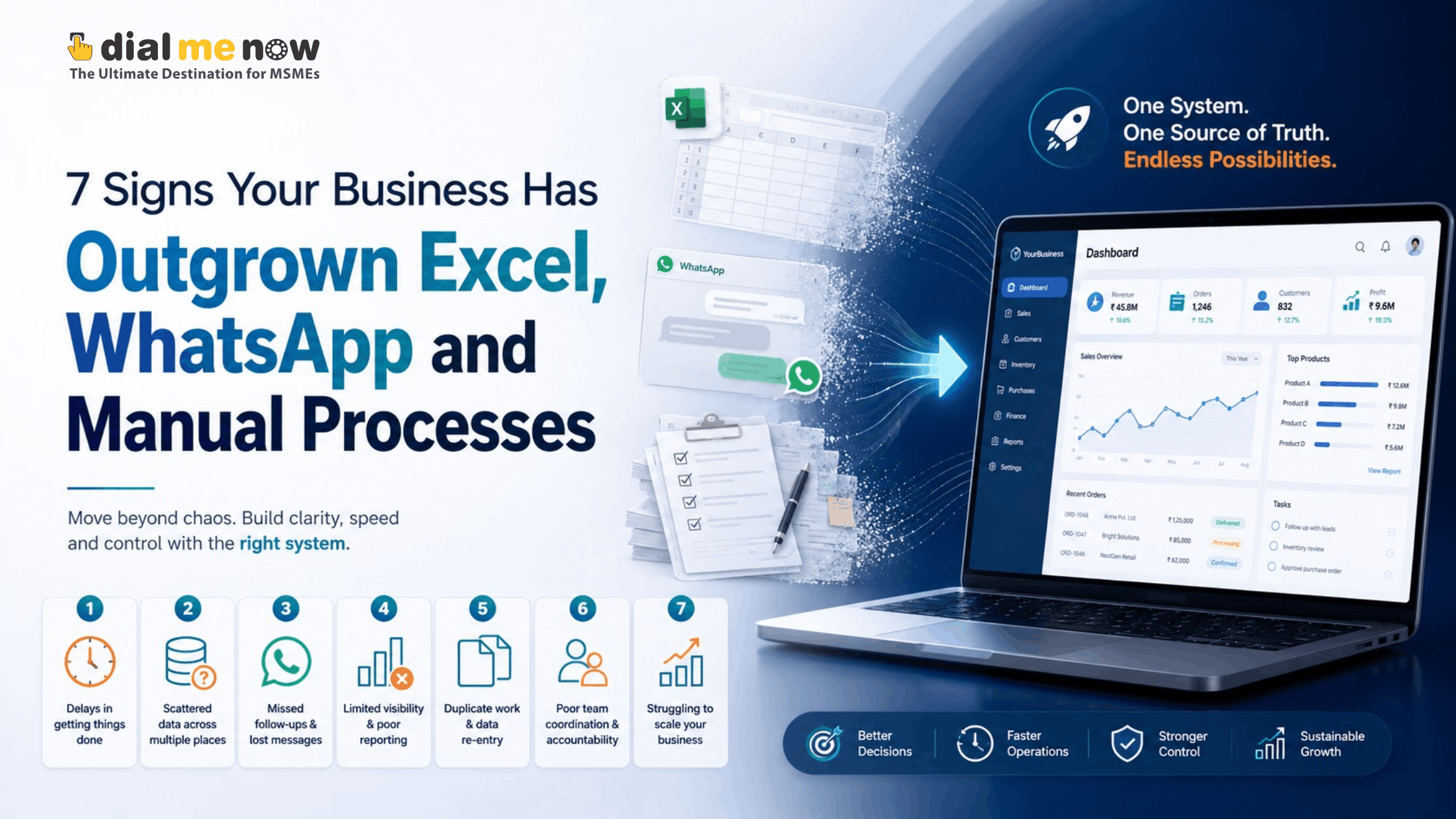
| Quick Answer Your business has likely outgrown manual tools when information is duplicated across files and chats, leads or follow-ups are missed, reports take hours to prepare, approvals depend on individuals, data accuracy is difficult to verify, teams cannot see the same status and growth requires adding more manual coordination. ERP, CRM or workflow automation can centralise these processes. |
Excel, WhatsApp and email are incredibly useful business tools. The problem begins when they become the operating system of the company.
A spreadsheet may start as a simple lead list. Soon there are separate versions for sales, purchase, stock and accounts. WhatsApp groups become approval channels. Employees search old chats for customer commitments. Managers ask for reports that require someone to combine five files manually.
This stage is common in growing businesses. It does not mean the team has failed; it means the process has become more complex than the tools were designed to manage. Recognising the signs early can prevent missed revenue, inaccurate data and dependence on individual employees.
Sign 1: The Same Data Is Entered in Multiple Places
If a customer’s details are first written in a WhatsApp message, then copied to Excel, entered into accounting software and again added to a quotation, the process is already creating avoidable work.
Duplicate entry increases the chance of spelling mistakes, incorrect phone numbers, inconsistent prices and outdated records. It also makes it difficult to identify which file contains the latest information.
A connected CRM or ERP aims to create a single source of truth. Information is captured once and reused across permitted workflows, reducing repeated manual entry.
Sign 2: Leads and Follow-Ups Depend on Memory
A serious warning sign is when salespeople rely on personal diaries, chats or memory to remember follow-ups. As lead volume grows, even disciplined teams can miss calls, quotations and promised dates.
A CRM can assign owners, maintain the complete interaction history and create follow-up reminders. Managers can see pending opportunities without asking every salesperson individually.
This is not about monitoring employees unnecessarily. It is about giving the team a reliable system so opportunities are not lost because information was scattered.
Sign 3: Management Reports Take Too Long
If weekly or monthly reporting requires exporting data, combining spreadsheets and manually calculating figures, management is receiving information after the moment when it was most useful.
Automation can provide dashboards for lead conversion, outstanding follow-ups, sales, stock movement, project progress or other operational metrics. The exact dashboard depends on the business, but the principle is the same: routine reporting should be generated from live data rather than recreated repeatedly.
Sign 4: Approvals Happen in Chats and Verbal Conversations
WhatsApp is convenient for quick communication, but it is not an ideal approval system for every business process. A purchase, discount, expense or quotation may be approved in a chat and later become difficult to trace.
A structured workflow can record who requested an action, who approved it, when it was approved and what changed afterward. This creates clarity and is especially useful when several departments or branches are involved.
Sign 5: Employees Ask Each Other for Status Updates
When the most common office question is ‘What happened with this?’, visibility is missing.
Sales may not know whether stock is available. Accounts may not know whether a project milestone was approved. Management may not know whether a customer complaint has been resolved.
A connected system can show role-based status to the people who need it. This reduces interruptions and allows employees to make decisions without chasing information across departments.
Sign 6: Errors Increase as the Business Grows
Manual processes can work well at low volume because experienced employees remember exceptions and correct mistakes informally. Growth changes that equation.
More customers, employees, products and transactions create more points where information can be missed. If growth requires continuously adding coordinators simply to keep records aligned, the underlying workflow may need automation.
Software should not automate a bad process blindly. First simplify the process, then automate the parts that are repeatable and measurable.
Sign 7: The Business Depends Too Heavily on Individual Employees
Every organisation benefits from experienced people, but essential business information should not exist only in one person’s laptop, memory or WhatsApp history.
If an employee is absent and nobody can identify the current status of leads, purchases, service cases or customer commitments, the organisation has a process risk.
A central system creates continuity. It preserves history, standardises steps and allows authorised users to understand what has happened without depending on one individual.
What Can Be Automated First?
- Lead capture from website forms, calls or manual entry.
- Lead assignment and follow-up reminders.
- Quotation creation and approval.
- Customer communication history.
- Order, project or service status tracking.
- Purchase requests and approvals.
- Inventory or stock visibility.
- Employee tasks and field activity.
- Management dashboards and recurring reports.
- Notifications for overdue actions or defined business events.
ERP, CRM or a Smaller Custom Workflow?
Not every business needs a full ERP. A company with a sales problem may need CRM first. A service business may need lead management, job scheduling and billing. A distributor may prioritise purchase, inventory and sales.
A phased approach is usually more practical. Start with the processes that cause the greatest operational loss or consume the most repetitive effort. Once users adopt the system and data quality improves, additional modules can be introduced.
This also reduces implementation risk because each phase can be tested with real users before expanding.
How Dial Me Now Can Help
Dial Me Now’s web and app development services can be used for custom business applications, CRM workflows, ERP modules and connected mobile solutions. The starting point should be a clear understanding of how work currently moves through your organisation.
If Excel files, WhatsApp groups and manual follow-ups are becoming difficult to control, visit DialMeNow.in and submit your requirements. The team can discuss whether a focused automation, CRM, ERP or mobile-enabled solution is the right next step.
Frequently Asked Questions (FAQs)
1. Is Excel bad for business management?
No. Excel is excellent for analysis and smaller datasets. The issue is using disconnected spreadsheets as a multi-user workflow system once the business becomes more complex.
2. When should a business move from Excel to ERP?
Consider it when duplicate entry, access control, version confusion, reporting delays or cross-department workflows become frequent problems.
3. Can WhatsApp be integrated into a CRM?
Depending on the communication setup and available APIs, WhatsApp-based workflows can be integrated with CRM processes. Requirements and platform policies should be reviewed first.
4. Does automation mean replacing employees?
Usually the objective is to remove repetitive coordination and data entry so employees can focus on sales, service, analysis and decision-making.
5. Should every process be automated?
No. Processes should first be reviewed for value, consistency and clarity. Automating unnecessary steps can make the system more complicated.
6. Can a small company implement automation in phases?
Yes. Starting with one high-impact process is often more manageable than implementing a large ERP at once.
7. How do we calculate ROI from automation?
Measure time saved, reduction in errors, faster conversions, better stock control, fewer missed follow-ups and other outcomes relevant to your business.
8. Will employees resist a new system?
Adoption can be a challenge. Involve actual users in requirement gathering, keep workflows simple and provide training during rollout.
9. Can old spreadsheet data be imported?
Usually yes, but the data should be cleaned and mapped before migration to avoid carrying duplicates and errors into the new system.
10. What is the first step before building custom software?
Map your current process from start to finish and identify where information is entered, handed over, approved, delayed or lost.
Conclusion
Manual tools are not a problem by themselves. They become a problem when the business spends more effort managing the tools than completing the work.
If information is duplicated, follow-ups are missed, reporting is slow and teams cannot see a shared status, your organisation may be ready for structured business process automation. The right solution could be a focused CRM, selected ERP modules or a custom workflow application.
To explore a practical approach for your business, submit an enquiry at DialMeNow.in and discuss your current process with the Dial Me Now team.
| Ready to discuss your requirement? Visit DialMeNow.in or use the Contact Us page to submit your enquiry. |
Suggested Internal Links for This Series
- Off-the-Shelf Software vs Custom ERP & CRM: Which Is Better for Your Business?
- Custom CRM for Sales Teams: Manage Leads, Follow-Ups, Quotations and Conversions in One Place
- How Custom ERP, CRM & Mobile Apps Can Become the Digital Backbone of Your Business
Disclaimer
This content provides general business and technology information. Automation priorities, software architecture, integrations, costs and expected benefits vary by organisation and should be evaluated through a proper requirement and feasibility study.